Native macOS · Free · no telemetry
The SSH client
your Mac deserves.
Saved sessions in folders, credentials in your Keychain, one-click connect, file transfer built in — a fast, native macOS client for SSH, Telnet, Rlogin and serial. Free for everyday work — no account, no telemetry.
Universal build — Apple Silicon + Intel · macOS 14+ · signed & notarized
Sound familiar?
“There’s no PuTTY for Mac — I just want my saved sessions back.”
The session manager you miss.
Saved sessions in folders, stored credentials, inherited
defaults, one-click connect — rebuilt as a real Mac app, and your
~/.ssh/config imports in one step.
“$120 a year — for an SSH client?”
A free tier that isn't a demo.
12 saved sessions, 4 connections at once, no account, no expiry — and if you want more, Pro is $29.99 once, or $1.49 a month.
“I type the same password twenty times a day.”
Type it once.
MaciTTY spots the login prompt and offers to save it in your Keychain behind Touch ID — every login after that is automatic.
“SSH in one app, file transfer in another — credentials in both.”
Files included.
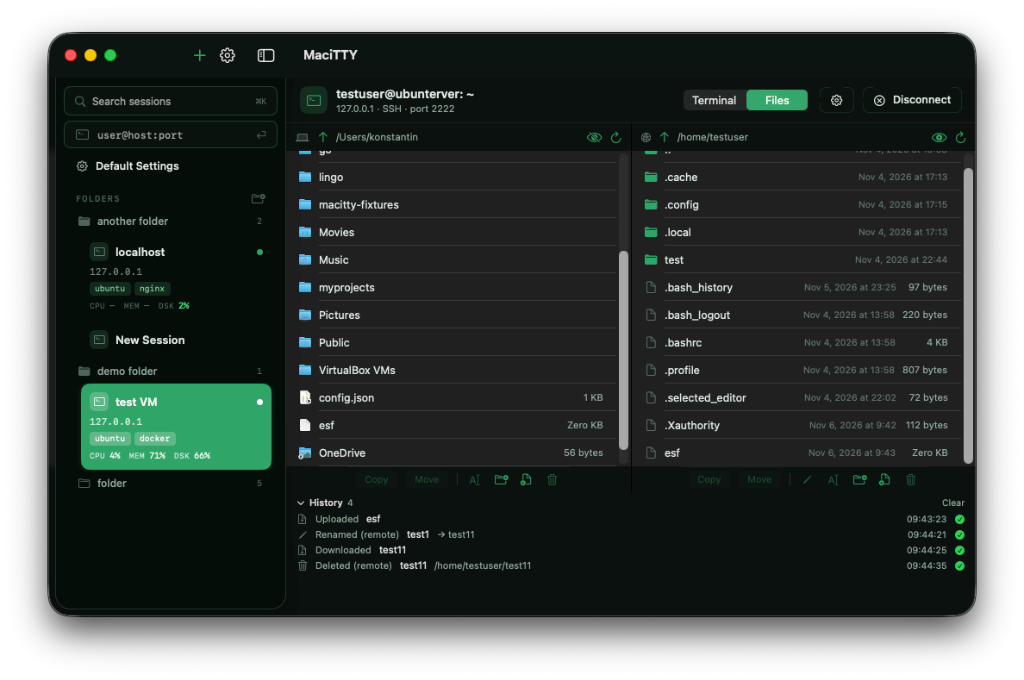
A dual-pane SFTP browser in the same window, signed in with the session's saved credentials — drag & drop transfers and remote files editable in your local editor.
“Electron SSH apps beach-ball on large output.”
Native speed.
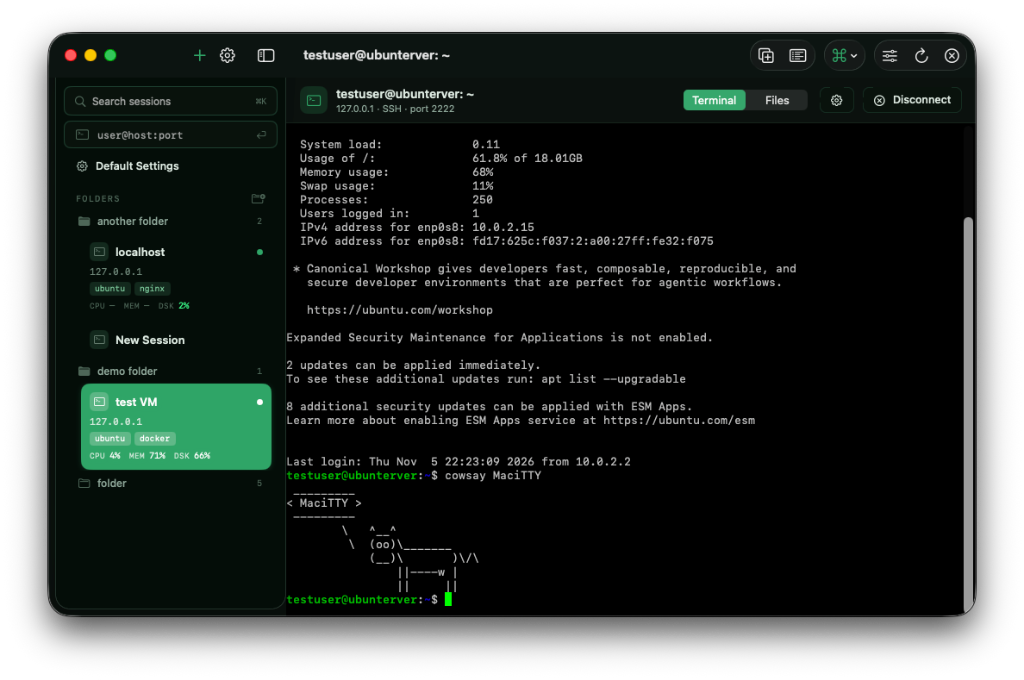
A real Mac UI over a fast C engine — instant session switching, no Electron anywhere.
“Sync my sessions? Only to your cloud, behind your account.”
Your sync, your cloud.
Optional iCloud sync rides your own private iCloud — no account with us, credentials are never synced. A Pro feature.
See it in action
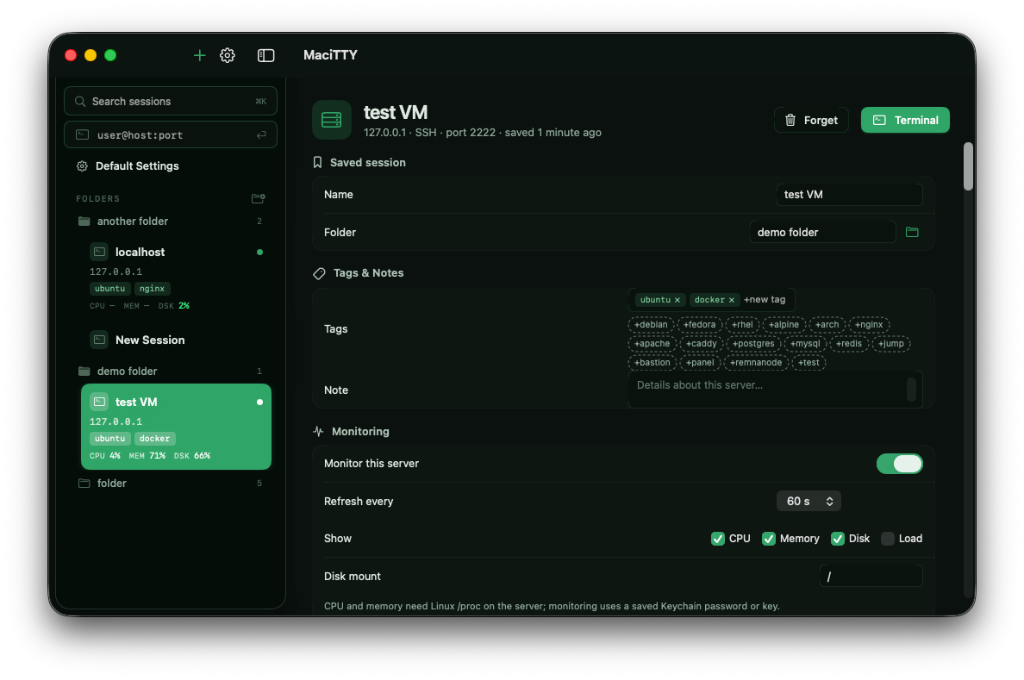
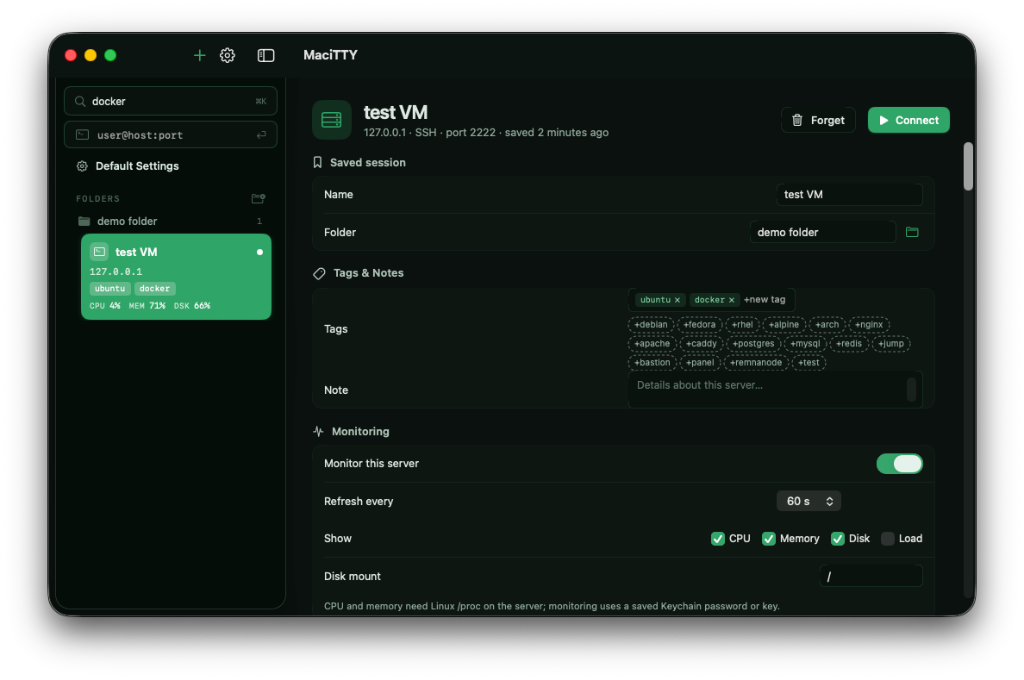
Sessions, terminal and file transfer — all in one window.
All your servers in one place — grouped in folders, tagged, with live CPU, memory and disk.
The complete toolkit
Everything below is implemented and shipping today.
Comes back on its own
Dropped connections retry automatically with patient backoff and restore the session — terminal scrollback and SFTP pane included. Sessions you closed stay closed.
Session manager
Saved sessions in folders, a Default Settings profile everything
inherits, quick connect and search that matches tags — drag &
drop to organize, live status in each row, live connections embedded
in one window with instant switching. Your ~/.ssh/config
imported in one step.
user@hostssh://…Keys & authentication
Every way in: password, keyboard-interactive, public keys, ssh-agent, certificates and Kerberos/GSSAPI. A password at the prompt saves to the Keychain on the spot — and a built-in key manager generates, imports and installs keys on your servers.
.ppkOpenSSHSFTP file browser
Local and remote files side by side — drag & drop from Finder, right-click menus and a visible history of every operation. Edit a remote file in your favourite local editor, saves upload back, with conflict detection.
Tunnels & proxies
Local, remote and dynamic port forwarding in a table, not a config file — plus SOCKS/HTTP proxies for corporate networks.
Jump hosts built in
Through a bastion without writing a ProxyJump
stanza — pick any saved session as the hop and both the terminal
and Files go through it.
Split view Pro
Two terminals side by side — or a terminal and its files —
in one window. Per-pane focus, a draggable divider and
⌘]/⌘[ switching.
Syncs across your Macs Pro
Optional iCloud sync carries your sessions and settings to your other Macs through your own private iCloud — credentials are never synced, so secrets stay in each Mac's Keychain.
Every protocol
Secure SSH connections, plus Telnet, Rlogin, Raw TCP and Serial for network gear, embedded boards and legacy systems — and a local shell when the terminal you need is your own Mac.
Snippets
Save the commands you run over and over — {host},
{user} and prompt-for-value variables included.
Paste or Run from the toolbar; sync and JSON export are Pro extras.
Server monitoring
Live CPU, memory, disk and load shown right in each session's sidebar row — opt in per server, pick a poll interval from 15 seconds to 5 minutes.
Session logging Pro
Record printable output, everything, protocol packets or raw data — with timestamped filename placeholders and append/overwrite/ask control.
Terminal your way
Colours and palette editor, cursor styles, bells and Dock alerts, keyboard modes, 27 charsets, light/dark/system themes — and four app icons to pick from.
Tags & notes
Tag sessions by what they do — chips show under each host in the sidebar and search matches them. A private note per server keeps the details worth remembering.
ssh-agent, GSSAPI, X11 forwarding, local-command proxies and the local shell are direct-download only — the App Store build's sandbox can't run them.
Free for the everyday.
Pro for the heavy lifting.
No account, no expiring trial — the free tier is the real app, not a demo.
Free
- 12 saved sessions, 4 connections at once
- Every protocol, SFTP, monitoring, snippets
- No time limit, no account needed
Included in both builds — upgrade to Pro in-app any time, nothing to reinstall.
Pro
- Unlimited sessions and connections
- Split view — two panes, one window
- iCloud sync, session logging, snippet export
$1.49/mo · $14.99/yr · $29.99/lifetime
Subscribe or buy lifetime — App Store purchases cover the App Store build. License keys for the direct download: email support@macitty.app.
Already using MaciTTY? Your install keeps Pro free — nothing you use today is taken away.
Private by design
No accounts, no telemetry, no analytics — and no cloud of ours, because there isn't one.
More features are coming.
MaciTTY is actively developed — and it keeps itself updated, so new builds find you automatically.
See the changelog →Take it for a spin.
Grab the latest build — free tier included, universal, no account.
v1.1 · signed and notarized by Apple — open the DMG and drag MaciTTY to Applications. The app checks for updates itself, so you'll always be on the latest build.
or install via Homebrew — brew install --cask knstntnkek/macitty/macitty